One-way bibliography synchronization with Overleaf
Keeping your literature database in sync across tools can be painful. With the new Git Support in JabRef, you can push your .bib file directly to GitHub—and Overleaf can fetch it from there. This creates a simple, one-way synchronization setup: JabRef → GitHub → Overleaf.
Below is a short walkthrough showing how to connect your GitHub-hosted BibTeX file with your Overleaf project.
1. Push your .bib file to GitHub
JabRef’s Git integration (see the announcement post) lets you commit and push your bibliography to any Git provider, including GitHub. Once the file is in your repository, navigate to it in the GitHub web UI.
Click Raw.
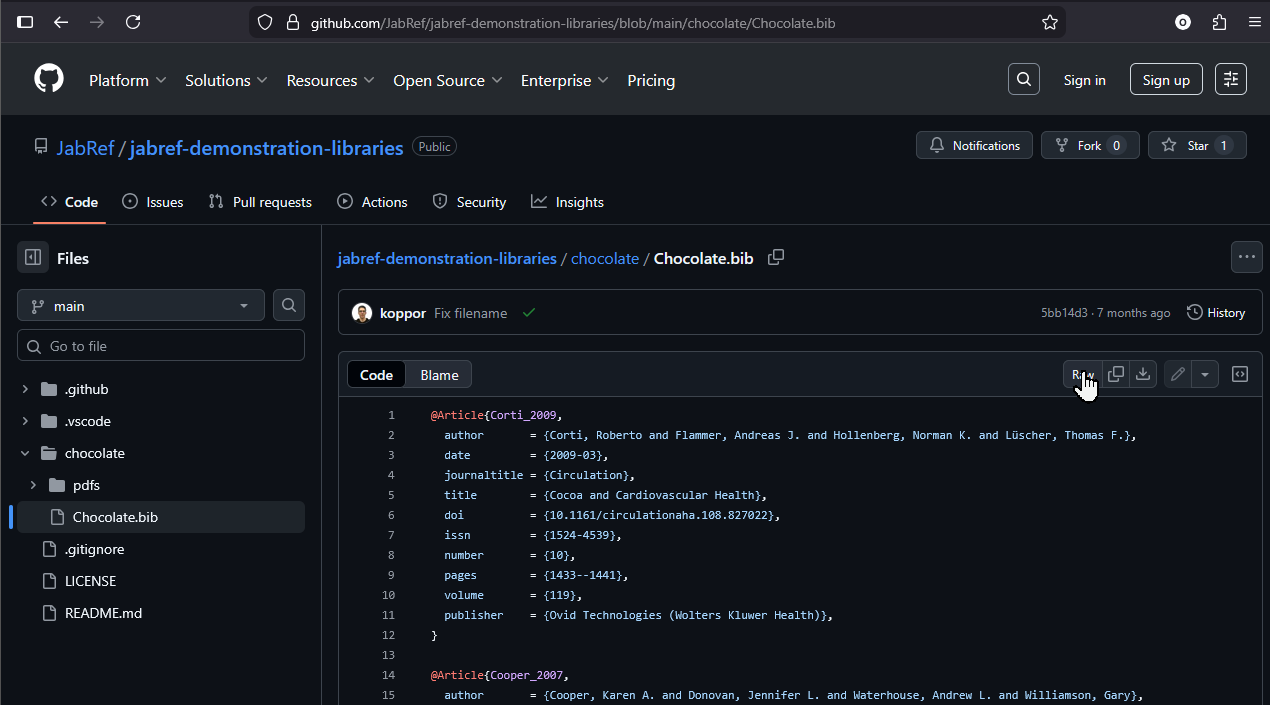
Then, the browser loads the raw file - and shows the URL:

Copy the URL shown in the browser’s address bar. Overleaf will pull your .bib file from exactly this URL.
2. Add the external .bib file in Overleaf
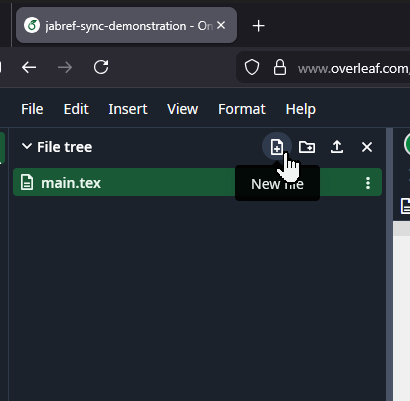
Switch to your Overleaf project.
Create a new file.
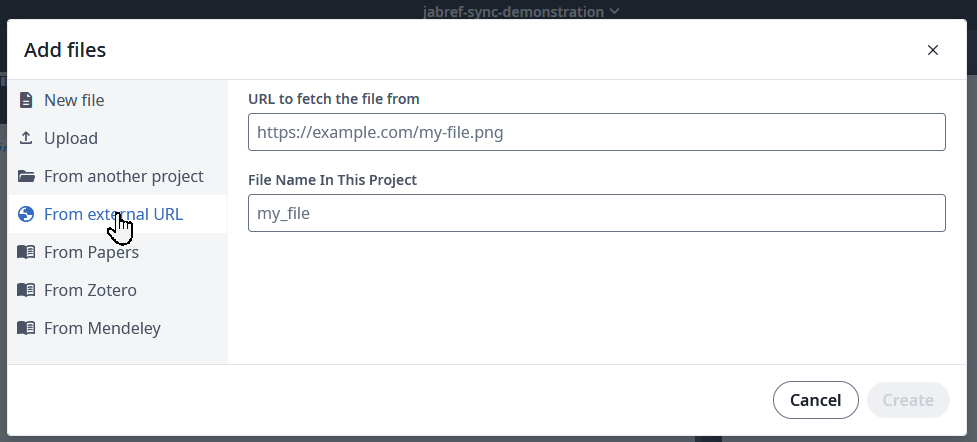
Choose From external URL.
Paste the Raw GitHub URL you copied earlier and click Create.
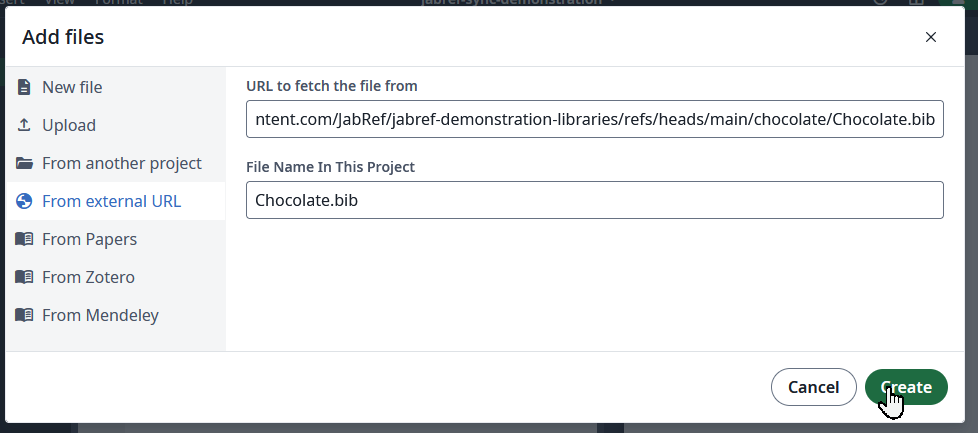
Overleaf now links this file instead of storing a local copy.
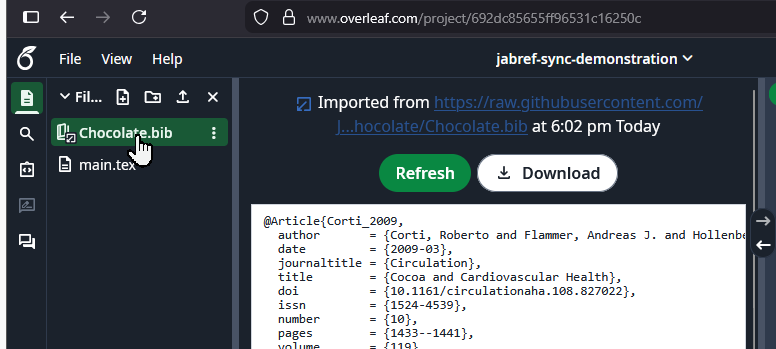
3. Refresh the bibliography when it changes
Whenever you update your .bib file in JabRef and push to GitHub, Overleaf can fetch the new version.
Open the file in Overleaf and click Refresh. Now, Overleaf downloads the most recent copy of the .bib file and makes it availble in your project. You can use the “Refresh” button each time you think, the .bib file might be outdated.
Acknowledgment
Thanks to our friends at CiteDrive for sharing this neat trick.
This feature is available in JabRef since v6.0-alpha.3